

What happens
1
Say what you want
In Make something, describe the video (“A 12-second launch teaser for Lumen, a running shoe that glows at
night”). Add files with +, or start from a video you like in Reference.
2
Answer its questions
When something matters and you didn’t say it, the agent asks with a card: which of three concepts, how the
product should look, or whether to use your own image. Pick one (the agent marks the one it recommends), or choose
Something else… and type, then Send answer.
3
Approve the storyboard
With Start with a storyboard on (the default), you see every shot as a still with its timing in the
Storyboard tab. Tell it which frame to change, or choose Build the video.
4
Watch, then change it
The finished video plays in Preview. Change anything by saying it, pointing at it or drawing on it:
edit a video with the agent.
Practice it: The brief
Free 20-minute lesson with a short video, a quiz and a brief to try. A brief is the goal, who it is for, two to four specifics and the exact words in quotes.
Or take the step by step
Take the step by step, next to Remix from inspiration on Home, builds a launch video from four parts taken from real launch videos. It also opens by itself the very first time.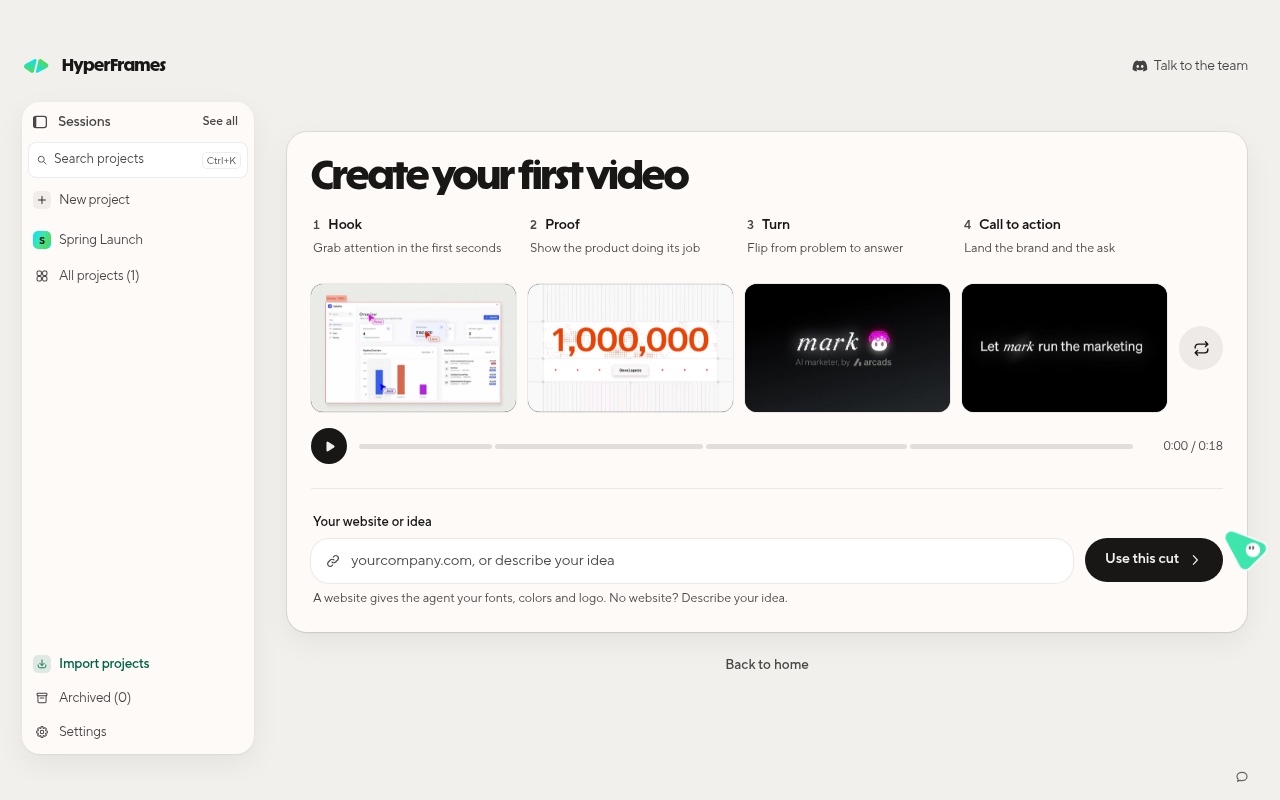
The first-video card: four parts, then your website or idea.
Shuffle the parts until you like them, type your website (it gives the agent your fonts, colors and logo) or an idea,
and choose Use this cut.